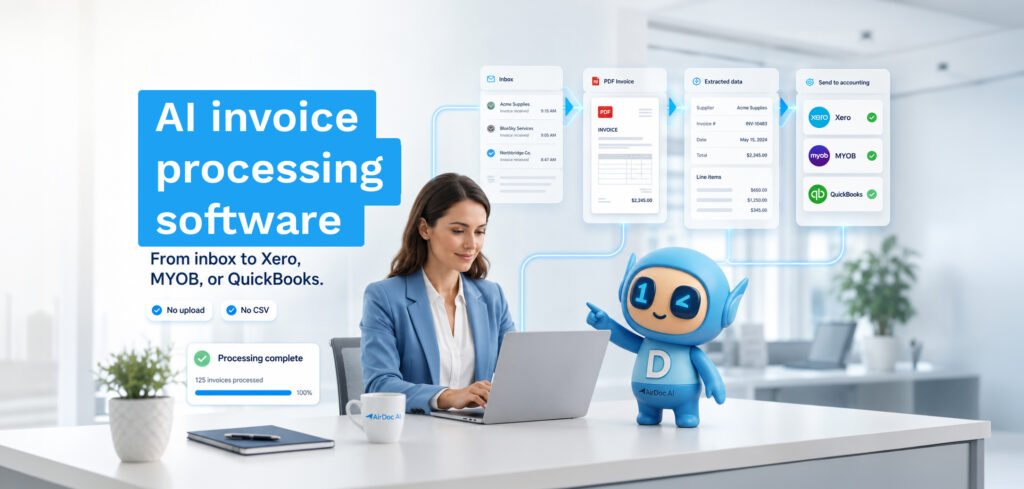
The best AutoEntry alternative for Xero is AirDoc AI if you want inbox monitoring with no submission step, or Dext if you need broad document and expense capture across mobile, email, and upload — both offer better Xero integration and more predictable pricing than AutoEntry’s expiring credit model.
AirDoc AI is built specifically for inbox-to-Xero workflows. This page covers how they compare and which situations each one fits.
What AutoEntry does (and where it falls short)
AutoEntry captures receipts, invoices, and bank statements via upload, email submission, or mobile photo, extracts header-level data using OCR, and exports it to Xero, QuickBooks, or Sage Accounting.
What Xero users commonly flag:
Credit expiry. AutoEntry uses a credit-based system where unused credits expire after 90 days. For practices with fluctuating invoice volumes, this means paying for credits that go unused.
No inbox monitoring. AutoEntry doesn’t connect to your inbox. You submit documents by forwarding to a unique email address or uploading manually. For practices managing multiple client inboxes, this adds a step.
Strongest on Sage. AutoEntry was built by Sage and integrates most naturally with Sage Accounting and Sage 50. The Xero connection works, but it isn’t the primary use case the product was designed around.
Limited line-item extraction. AutoEntry extracts header data (supplier, total, date) reliably. Line-item extraction — the individual rows on the invoice — is inconsistent across document formats.
AirDoc AI vs AutoEntry: how they differ
The core difference is where each tool sits in the workflow.
AutoEntry sits between your documents and your accounting platform. You get documents to it (upload, forward, photo), it processes them, and you push the result to Xero.
AirDoc AI sits between your inbox and Xero. Supplier invoices arrive in Gmail or Microsoft 365 the way they always have, and AirDoc reads them directly. There’s no submission step, no forwarding address to remember, and no change required from your suppliers.
For teams whose invoice volume lives primarily in email — which is most bookkeepers and small businesses — the inbox-first approach means invoices that were always going to arrive in email get handled there, without an extra transfer step.
Feature comparison
| AutoEntry | AirDoc AI | |
|---|---|---|
| Document submission | Upload, forward, mobile photo | Inbox monitoring (automatic) |
| Invoice detection | Manual submission | Automatic — finds invoices in inbox |
| Data extraction | Header-level (supplier, total, date) | Full extraction including line items |
| GST handling | Extracts total tax | Extracts GST per line + reconciles totals |
| Xero integration | Export/sync (Xero not primary platform) | Direct OAuth — posts draft bills natively |
| WhatsApp receipts | No | Yes — connect a WhatsApp number |
| Pricing model | Credits (expire after 90 days) | Per processed email (no expiry) |
| Best accounting platform fit | Sage Accounting / Sage 50 | Xero, QuickBooks, MYOB |
| Audit trail | Document storage | Full audit trail: email receipt, attachment, extracted data, Xero entry |
Pricing comparison
AutoEntry uses credit bundles. Pricing varies by region and document type. Credits expire after 90 days, so low-volume months result in wasted spend.
AirDoc AI charges per processed email:
- Starter: A$99/month — 500 emails/month
- Growth: A$199/month — 2,000 emails/month
- Scale: A$299/month — 5,000 emails/month
- Enterprise: A$499/month — 10,000 emails/month
No credit expiry. Unused capacity rolls within the billing period. No per-user fees — add your whole team on the same plan.
When teams switch
Bookkeepers and finance teams typically look for an AutoEntry alternative when Xero is the primary platform and they want a tool built around that workflow rather than one that treats Xero as a secondary export; when credit expiry is causing waste on months with lower-than-usual invoice volume; when they want inbox automation rather than a manual submission step; when WhatsApp receipts matter for trades, hospitality, or retail clients; or when they want a free tier to test before committing to paid spend.
FAQ
Does AirDoc AI work with Xero directly?
Yes. AirDoc AI connects to Xero via secure OAuth and posts draft bills directly — supplier, invoice number, date, due date, line items, GST, and total. The original email and attachment are retained as the source document.
Do I need to change how my suppliers send invoices?
No. Suppliers keep emailing the address they’ve always used. AirDoc AI monitors the inbox and finds invoices automatically. No new forwarding address and no supplier communication required.
Can AirDoc AI handle multiple Xero organisations?
Yes. You can connect multiple inboxes and route each to a different Xero file. Most bookkeepers run several client entities this way.
What happens if AirDoc AI can’t read an invoice?
If confidence is below threshold, AirDoc AI flags the invoice for manual review rather than posting a guess. You see what it extracted and what it wasn’t sure about, correct it once, and it applies that learning to the same supplier next time.