STOP typing invoices in after dinner.
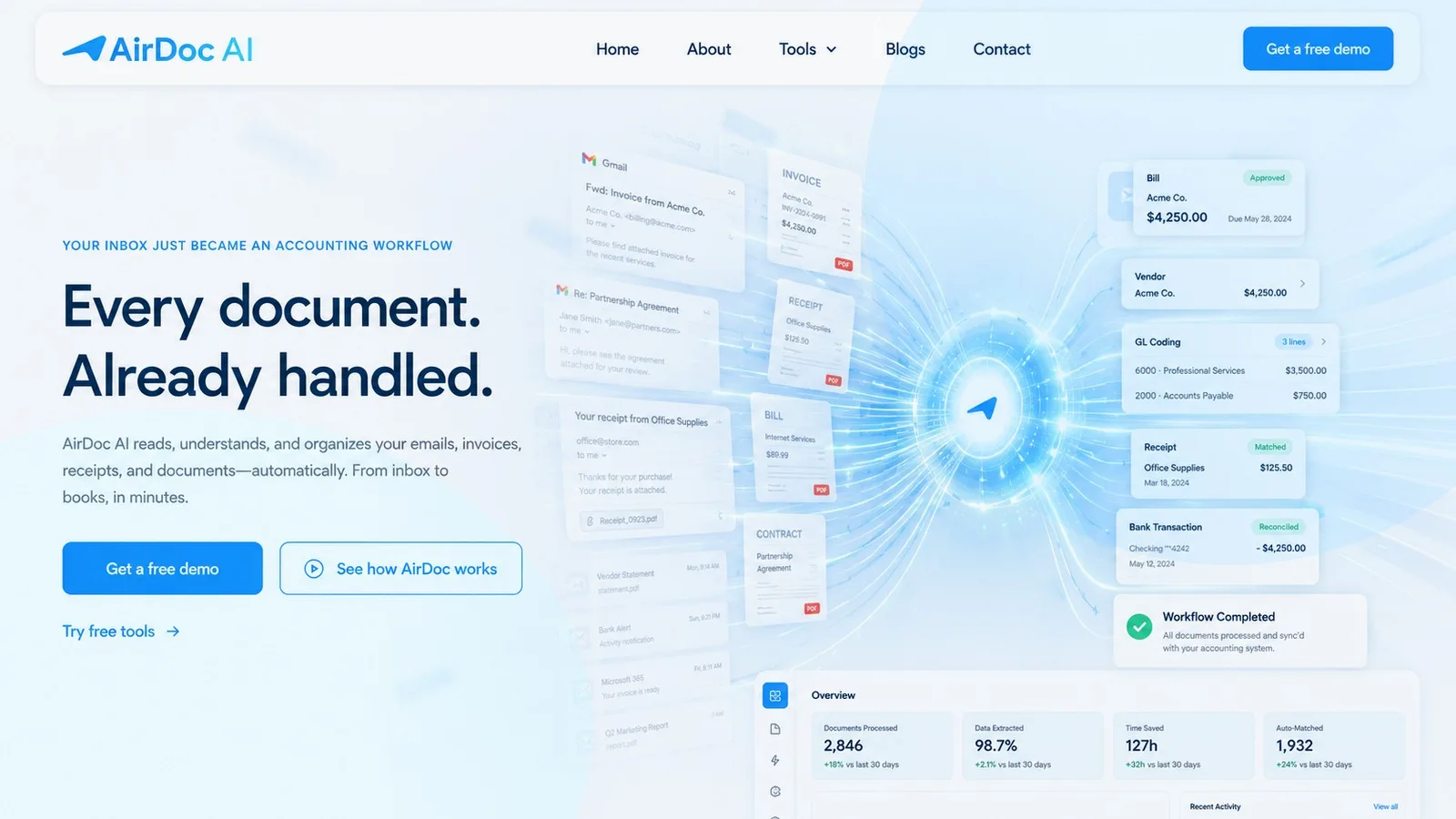
Connect the inbox your supplier invoices already arrive in, and send a photo of anything that came on paper. AirDoc AI reads both, extracts information, validates and posts them to Xero, MYOB or QuickBooks. You do not forward anything, download anything or type anything.
- Supplier matched
- GST and totals checked
- Supplier
- Acme Corporation
- Subtotal
- A$1,240.00
- GST
- A$124.00
You did not start a business to type invoices into a computer.
The invoices turn up in your inbox all week. The receipts pile up somewhere else entirely: the glovebox, a wallet, the bottom of the toolbox. Then at some point, usually a night or a weekend, you sit down with both piles and move the same numbers from one screen to another. Supplier. Date. Subtotal. GST. Total. Next one.
It is not hard work. That is what makes it so annoying. It is just hours, and they always come out of the same two places: the job you are actually good at, or the evening you were meant to have.
Set it up
once and stop thinking
about it.
Gmail, Microsoft 365, or a WhatsApp number for the paper. Whichever ones your bills actually come through. There is no forwarding address to remember and nothing for your suppliers to change.
Xero, MYOB or QuickBooks. Connect as many as you need if you look after more than one business.
Which source feeds which file, and how much you want to approve before it posts. Set it once and it holds.
AirDoc AI takes less than a minute to process and publish an invoice to your accounting file.
It arrives
A supplier emails an invoice to the address they have always used. Nothing changes for them and nothing changes for you.
It gets spotted.
AirDoc AI tells a supplier invoice apart from the rest of your email. Newsletters, quotes and reply-all threads stay where they are.
It gets read
Supplier, ABN, invoice number, dates, line items, GST and total come off the document and become fields you can edit.
It gets checked
The sums are reconciled and the supplier is matched against ones you have used before. Anything uncertain becomes an exception you can see, rather than a wrong number you find in three months.
It gets posted.
The bill lands in Xero, MYOB or QuickBooks with the original document attached, ready to reconcile.
Half your spending
never arrives as an email.
Invoice automation only ever catches the invoices that were emailed. The fuel, the tolls, the trip to the hardware shop, the hire gear picked up on the way to a job. All of that comes on a docket printed at a counter, and it is the half that goes missing.
Connect WhatsApp and you can send it the moment you pay for it. Photograph the docket at the counter. Forward the bill the supplier just sent through. Screenshot the confirmation from the parts app. It goes to your AirDoc number, gets read and checked exactly like an emailed invoice, and lands in the same accounting file.
⚡ Receipt verified and posted to Xero!
- Supplier: Bunnings
- ABN: 24 008 635 036
- Total: $142.50 AUD
- Tax (GST): $12.95 AUD
- Category: Materials / Tools
Get the admin off your plate. Keep the parts of life you actually like.
AirDoc AI is for people who receive supplier invoices and have better things to do than moving the same numbers from one screen to another.
Get your evenings back.
Your clients pay you for judgement, and you spend Thursday night typing in supplier totals. AirDoc AI takes the repetitive half so the hours you bill are the hours you actually wanted to work.
- Take on more clients without taking on more nights
- Stop opening six inboxes to find the same three things
- Chase a client for receipts once, then let them photograph the docket instead of promising to find it
Keep your billable hours billable.
Your best hour is on site, not at the kitchen table with a stack of dockets and a laptop. Send the receipt from the counter and the invoice run happens while you do the work that pays for it.
- No hiring someone just to move numbers between screens
- Use the email, the phone and the accounting software you already have
- Get an arvo back, or a Sunday, or just dinner with the laptop shut
AirDoc AI is built to do one thing exceptionally well: Turn supplier invoices into entries in your accounting software
Reliable invoice intelligence. Built with security in mind.
AirDoc AI is designed to make processing visible, consistent and easier to trace; following information security best practices.
Strong data security
End to end encryption of data, secure handling principles and retention controls designed around business invoice data.
Full traceability
See what was processed, when it moved and where an exception occurred.
Consistent validation
Apply repeatable checks to supplier, GST, date and amount information.
Simple workflows
Work with Gmail or Microsoft 365 and the accounting platform your team already knows.
AirDoc AI isn't a myth, but a product that's changing game for Australian businesses as we speak.
A 150+ year business uses AirDoc AI to automate administration and reduce costs.
Australia’s largest multi-family office uses AirDoc AI to automate invoices, saving 30+ hours per month from a single inbox.
Jason Smith · CFO
A growing brand uses AirDoc AI to automate administration and focus on growth.
Start with 500 emails free. Scale with your business.
For solo bookkeepers, tradies and small businesses ready to stop handling every invoice by hand.
- Gmail + Microsoft 365
- Xero + QuickBooks + MYOB
- Invoice extraction and validation
- Processing history and source traceability
For growing bookkeeping practices and businesses with a busier supplier inbox.
- Gmail + Microsoft 365
- Xero + QuickBooks + MYOB
- Invoice extraction and validation
- Processing history and source traceability
For established teams processing invoice volume across clients, entities or shared inboxes.
- Gmail + Microsoft 365
- Xero + QuickBooks + MYOB
- Invoice extraction and validation
- Processing history and source traceability
For larger bookkeeping and finance operations that need serious monthly capacity.
- Gmail + Microsoft 365
- Xero + QuickBooks + MYOB
- Invoice extraction and validation
- Processing history and source traceability
Useful tools without unnecessary friction.
Free Invoice Generator
Create branded invoices without signup or watermarks.
Open toolOCR to Invoice Draft
Extract, review and turn source documents into editable drafts.
Open toolInvoice Compliance Checker
Review supplier, ABN, GST and calculation details.
Open toolInvoice to Excel / CSV
Convert invoice data and line items into structured files.
Open toolXero CSV Formatter
Map, validate and prepare common Xero import files.
Open toolBank Statement PDF to CSV
Extract transactions for reconciliation and import.
Open toolBetter systems begin with better questions.
Practical thinking about invoice automation, accounting operations and where human judgement creates the most value.
How Do I Automate Invoice Entry in Xero?
The fastest way to automate invoice entry in Xero is to connect an inbox monitoring tool that reads…
Read article
What Replaces Hubdoc in Xero?
Hubdoc was acquired by Xero in 2018. Since then, Xero has kept it running but has progressively reduced…
Read article
Does Xero Read Invoices from Email Automatically?
No, Xero does not read your email inbox or automatically capture invoices from email. To get an invoice…
Read articleGetting started
It watches wherever your bills arrive, whether that is an inbox or a WhatsApp number, finds the invoices and receipts among everything else, pulls out the supplier, dates, GST and totals, checks the sums and posts them into Xero, MYOB or QuickBooks with the original document attached.
Ten minutes for one inbox and one accounting file. Longer if you are connecting a dozen clients, but you only do it once.
Gmail and Microsoft 365 for email, WhatsApp for photos and forwarded bills, and Xero, MYOB or QuickBooks on the accounting side.
Yes, as many as you need, and you set which source feeds which file. This is how most bookkeepers run it.
No. Email capture works perfectly well on its own and plenty of people never turn WhatsApp on. It is there for the paper receipts that were never going to arrive in an inbox.
No. It runs on its own business number and only ever receives what is sent to that number. Your personal chats, your groups and your contacts are never visible to it.
No. They save your AirDoc number as a contact and send it a photo, the same way they would send one to you. No app, no password and no training session.
You get a message back telling you what it could not read, while you are still standing near the thing you photographed. It will not invent a number to fill a gap.
No. It is another way in on the same plan, and those receipts count towards the same monthly allowance.
Accuracy and control
If it is unsure it stops and asks rather than posting a guess. You correct it once and it applies that to the same supplier next time. Anything already posted keeps the original document so you can check it against the source.
Yes. Hold everything in a review queue until you trust it, then loosen up supplier by supplier. Plenty of bookkeepers stay on review permanently and still save most of the time.
No. It has read access to find invoices and nothing more.
Plans and billing
Yes. Starter handles 500 a month and costs nothing. It normally sells for A$49 a month and that charge is currently waived. No card to sign up.
Processed invoices and receipts. Newsletters and ordinary email that AirDoc AI looks at and correctly ignores do not count against you.
No. Add your whole crew without the price changing.
Any time, from your account. No contract and no exit fee. Your processing history stays available for export.
Start with 500 processed emails for FREE
The Starter plan is free, with Gmail and Microsoft 365 support plus Xero, QuickBooks and MYOB integrations.