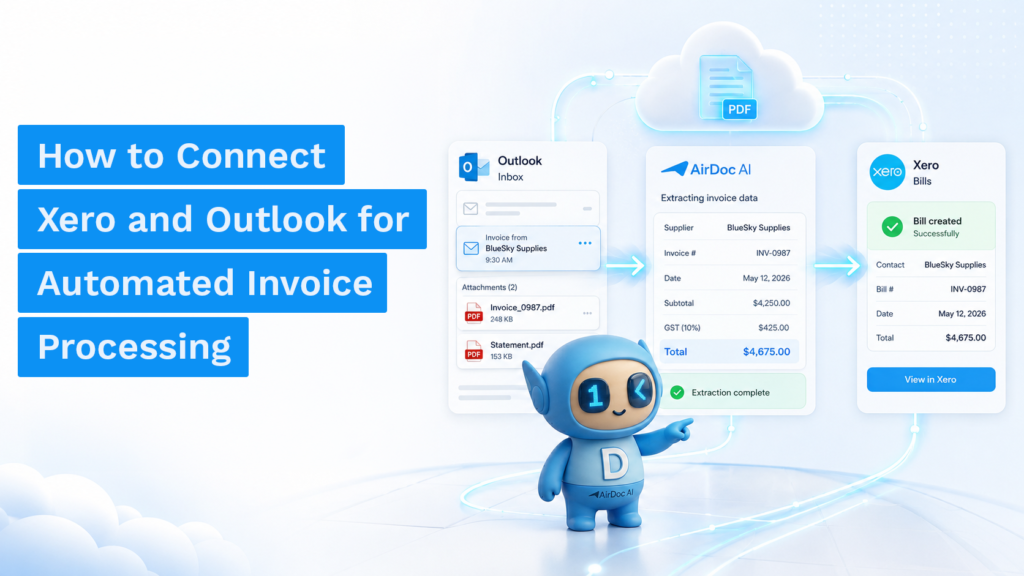
Short answer: Gmail and Xero don’t connect natively. There’s no built-in button that reads your Gmail inbox, extracts invoice data, and posts bills to Xero automatically. To make that happen, you need either a general automation tool like Zapier or Make, a document capture tool like Hubdoc, or a purpose-built AI tool like AirDoc AI that monitors your inbox, reads each invoice, and posts structured data straight into Xero. Which one makes sense depends on your invoice volume and how much ongoing maintenance you’re willing to do.
Why there’s no native Gmail to Xero integration
Xero connects to banks, payment platforms, and payroll tools, but not to email inboxes. Gmail is where supplier invoices land, but Xero has no built-in reader to detect them, extract the data, and create a bill.
Xero’s own document capture tool, Hubdoc, is bundled free with Xero Business plans and can receive documents, but it doesn’t monitor a Gmail inbox automatically. You still need to forward each invoice manually or upload it. Line-item extraction was also removed from Hubdoc’s roadmap in 2025, and bank-statement fetching went away in 2022.
So “connecting Gmail and Xero” means choosing a middle layer. There are three categories worth knowing.
Option 1: Generic automation tools (Zapier, Power Automate, Make)
Zapier, Make (formerly Integromat), and Microsoft Power Automate can all trigger a Xero action when a Gmail event occurs. For example: “when a new email with an attachment arrives in Gmail, create a bill in Xero.”
The limitation is that these tools move files and trigger workflows. They don’t read invoices. A Zapier flow can attach a PDF to a Xero bill, but it can’t pull out the supplier name, invoice number, line items, GST, or totals from that PDF. You still end up typing those fields in manually.
That said, for very low invoice volumes, a simple trigger rule can save time on the filing step even if the data entry stays manual.
Works well if: you receive fewer than 10 invoices a month from the same few suppliers and just need a filing shortcut.
Breaks down when: supplier invoice formats vary, volumes grow, or you need line-item data and GST in Xero, not just a PDF attachment.
Option 2: Gmail filters + Hubdoc
Hubdoc is free with Xero Business plans and supports document capture via a unique submission email address. You can set up a Gmail filter to automatically forward emails from known invoice senders to your Hubdoc email address.
This works better than raw Zapier for document organisation. Hubdoc will extract header-level data — supplier, total, date — and publish it to Xero.
The gaps: no line-item extraction; forwarding is still manual for any supplier not in your filter; Gmail filters break silently when a supplier changes their sending address or email format; and Hubdoc doesn’t read your Gmail inbox automatically — it receives what you send it.
Works well if: you have a short, stable list of suppliers and only need header-level data in Xero.
Breaks down when: you need full line-item extraction, you have many suppliers, or you want invoices to appear in Xero without any manual step.
Option 3: AI inbox-to-Xero tools (AirDoc AI)
AirDoc AI connects directly to your Gmail account via Google OAuth — the same secure sign-in flow used by every Gmail integration you already use. Once connected, it monitors your inbox continuously, identifies incoming invoice emails (distinguishing them from newsletters, quotes, reminders, and everything else), and extracts the full invoice data using AI.
That extracted data — supplier name, ABN, invoice number, date, due date, line items, GST, and totals — then gets posted directly into Xero as a draft bill, with the original email and attachment retained as the source document.
There is no forwarding step. Suppliers keep emailing the address they already use. Your team doesn’t change how they work. AirDoc reads what arrives and handles the rest.
| Zapier / Make | Gmail + Hubdoc | AirDoc AI | |
|---|---|---|---|
| Monitors Gmail inbox automatically | No — trigger-based | No — receives forwards | Yes |
| Extracts invoice data (supplier, totals) | No | Header only | Yes — full extraction |
| Extracts line items | No | No | Yes |
| Posts bills directly to Xero | Attachment only | Yes (header data) | Yes — full draft bill |
| GST handled automatically | No | Partial | Yes |
| Works without supplier-by-supplier setup | No | No (filters needed) | Yes |
Which option fits your situation
Under 10 invoices a month, same few suppliers: a Gmail filter to Hubdoc handles the basics. Free, quick to set up.
Growing volume, multiple suppliers, want invoices in Xero with no manual step: AirDoc AI is the more durable answer. Setup takes under 10 minutes, works for any supplier without configuration, and extracts line items and GST automatically.
Already using Hubdoc and frustrated with the forwarding step or missing line items: this is the most common reason practices switch. The free tier covers 500 invoices a month, which is enough for most bookkeepers and small businesses to test with real invoice volume before committing to a paid plan.
Using Zapier and tired of maintaining per-supplier rules: the rule-based approach doesn’t scale. AI extraction handles any supplier format without configuration.
FAQ
Does Xero have a native Gmail integration for invoices?
No. Xero doesn’t offer a built-in connector that reads Gmail and creates bills automatically. The closest native option is Hubdoc, which requires manual forwarding.
Can I automate invoice entry from Gmail to Xero for free?
Yes. AirDoc AI’s free Starter plan processes up to 500 emails per month with AI data extraction included. Gmail + Hubdoc is also free if you’re on a Xero Business plan, though it requires manual forwarding and only captures header data.
Is connecting Gmail to Xero secure?
AirDoc AI connects via Google’s standard OAuth flow, the same used by Google Workspace, Calendar, and Drive integrations. It has read-only access to find invoices and doesn’t send email from your account. Data is encrypted in transit and at rest, and every processed invoice is logged with a timestamped audit trail.
What if I use both Gmail and Outlook across different clients?
AirDoc AI supports both Gmail and Microsoft 365 on the same account. You can connect multiple inboxes and route each one to a different Xero organisation — useful for bookkeepers managing more than one client entity.
Does AirDoc AI work with shared Gmail inboxes?
Yes. Shared inboxes work the same as individual ones. Connect the shared inbox once, and AirDoc AI will process invoices arriving there regardless of which supplier sent them or which team member is monitoring that inbox that day.
Start with the Starter plan: airdocai.com/start. 500 emails a month free.