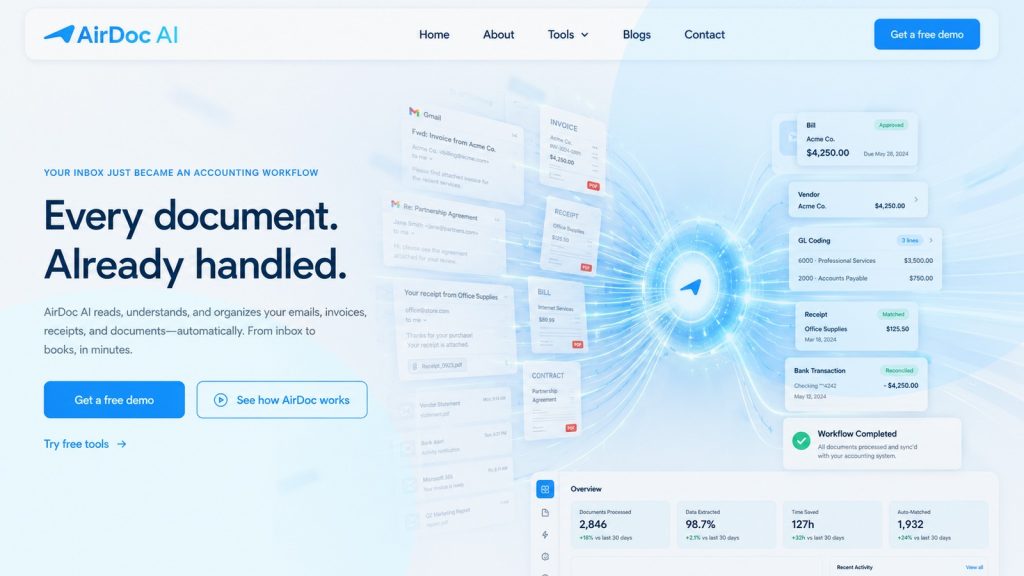
Australian bookkeepers can automate invoice processing by connecting their clients’ Gmail or Microsoft 365 inboxes to Xero, QuickBooks, or MYOB using an inbox-monitoring tool — invoices are captured, extracted, and posted as draft bills automatically, without any forwarding or upload step.
This guide covers what invoice automation software does, what to look for if you’re an Australian bookkeeper, and how to evaluate tools that genuinely reduce that time rather than just shifting where the manual step happens.
The bookkeeper’s invoice problem
The invoice problem in bookkeeping isn’t complexity. It’s volume and repetition.
A typical small business client receives 20-60 supplier invoices a month. Each one involves: opening the email, downloading the attachment, checking the supplier, verifying the ABN, keying in the date, amount, GST, and line items, matching to Xero, QuickBooks, or MYOB, and filing the source document.
At three minutes per invoice, 40 invoices a week across a client is two hours. Ten clients like that is 20 hours — the same time every single week, every year.
Most bookkeepers absorb this as part of the job. The maths only becomes uncomfortable when you add it up: 20 hours a week of data entry is over 1,000 hours a year. That’s not accounting work. That’s transcription.
Invoice automation software exists to take that work off the table entirely.
What invoice automation actually does
Good invoice automation software does three things that manual processing doesn’t:
1. Finds invoices without being told where they are. Inbox-monitoring tools connect to Gmail or Microsoft 365 and detect incoming supplier invoices automatically — distinguishing them from newsletters, quotes, reminders, and general correspondence without any rules to configure per supplier.
2. Extracts structured data from the invoice. Supplier name, ABN, invoice number, issue date, due date, line items, GST per line, and totals. Not just the total — the full breakdown that Xero, QuickBooks, or MYOB needs to create a usable draft bill.
3. Posts that data directly to your accounting platform. Not an export file, not a spreadsheet — a draft bill in Xero with the original document attached and an audit trail linking the email, the attachment, the extracted data, and the accounting entry.
When all three work, the bookkeeper’s job changes. Instead of entering invoices, you’re reviewing the work the software already did — spot-checking exceptions, approving bills, and doing the actual accounting that requires human judgement.
The inbox-first approach vs upload-and-forward tools
Most document capture tools used in Australian bookkeeping practices — Hubdoc, Dext, AutoEntry — are built around a submission model. The invoice arrives somewhere (email, paper, WhatsApp), and you submit it to the capture tool via a dedicated email address, upload, or mobile photo.
This works, but it doesn’t remove the manual step. Someone still has to make a decision on every invoice: find it, submit it, and then wait for it to process.
The inbox-first approach is different. Instead of receiving invoices and forwarding them somewhere, the tool connects directly to the inbox the invoices already land in. Gmail or Microsoft 365, via OAuth. The invoices arrive the same way they always have. The tool reads them automatically and posts the result to Xero.
The difference in practice: upload-and-forward tools move invoices from inbox to tool to Xero. Inbox-first tools go directly from inbox to Xero, with the middle step handled automatically.
For Australian bookkeepers managing multiple client inboxes, this distinction matters. With upload-and-forward, you’re touching every invoice. With inbox-first, you’re only touching exceptions.
What to look for in invoice automation software (Australian checklist)
ABN validation. Under Australian GST rules, you can’t claim input tax credits on invoices from suppliers with invalid ABNs. Your automation tool should check ABNs automatically, not leave that to manual review.
GST handling. The tool needs to extract GST correctly at the line-item level, not just confirm that a total tax amount is present. Misclassified GST is an audit risk.
Direct Xero, QuickBooks, or MYOB integration. The tool should post draft bills natively to your accounting platform, not export a file for you to import. Direct integration means less handling and a proper audit trail.
No supplier changes required. A tool that requires your clients’ suppliers to change how they send invoices will never achieve full coverage. The tool needs to work with invoices arriving the way they already do.
Multi-entity support. Australian bookkeeping practices typically manage multiple client entities. The tool should let you connect multiple inboxes and route each to the right accounting file without a separate account per client.
Audit trail. Regulators and clients alike expect to be able to trace an invoice from the original document to the accounting entry. The tool should log when the email arrived, what was extracted, what was posted, and when.
WhatsApp support. Many Australian small businesses, particularly in trades, hospitality, and retail, receive supplier invoices or generate receipts via WhatsApp. A tool that handles email but not WhatsApp captures half the picture for these clients.
How AirDoc AI works for bookkeeping practices
AirDoc AI connects to Gmail and Microsoft 365 via OAuth. You connect each client inbox to AirDoc, and route each inbox to the client’s Xero, QuickBooks, or MYOB file.
When an invoice arrives in the client’s inbox, AirDoc AI detects it as a supplier invoice, extracts supplier name, ABN, invoice number, issue date, due date, line items, GST, and totals, validates the ABN against the Australian Business Register, reconciles GST, posts a draft bill to Xero with the original email and attachment attached, and logs the full processing record for audit purposes.
If confidence is below threshold at any step, AirDoc AI creates an exception for manual review. You see what it found and what it wasn’t sure about, correct it once, and that learning applies to the same supplier going forward.
WhatsApp is also supported. Clients can send photos of paper receipts, dockets, and invoices to a dedicated AirDoc WhatsApp number. Those go through the same extraction and posting process as emailed invoices.
Pricing: what it costs vs what you save
The cost of manual processing: at $35/hour and 3 minutes per invoice, each invoice costs $1.75 in bookkeeper time. A client with 40 invoices a week costs $70/week, $3,640/year — in labour alone. Across 10 clients at that volume: $36,400/year in invoice entry time.
AirDoc AI pricing:
- Starter: A$99/month— 500 emails/month
- Growth: A$199/month — 2,000 emails/month (covers a 10-client practice with average volume)
- Scale: A$299/month — 5,000 emails/month
A 10-client practice processing 2,000 invoices a month on AirDoc AI’s Growth plan at $199/month is paying $0.0995 per invoice in software cost, against $1.75 per invoice in manual labour. The ROI doesn’t require a spreadsheet.
The less visible return is capacity. Manual processing caps how many clients a bookkeeper can take on. Automated processing doesn’t have that ceiling. The same practice on AirDoc AI can take on more clients without taking on more invoice entry hours.
FAQ
How long does setup take for a new client?
Under 10 minutes per client for an inbox connection and Xero routing. Connecting a WhatsApp number takes a few minutes more. Most practices onboard a full client list in an afternoon.
Does AirDoc AI work if a client’s suppliers send invoices to different email addresses?
Yes. You connect the inbox (or inboxes) the invoices actually arrive in. If a client’s suppliers send to different email addresses across different business units, connect each inbox and route each to the appropriate Xero file.
What happens to the original invoices?
AirDoc AI retains the original email, the original attachment, and a full processing record attached to the Xero bill. Nothing is deleted from the client’s inbox. The source document is always traceable back to the original email.
Can I control what gets posted automatically vs reviewed?
Yes. You can set any client to require manual approval before posting, approve by supplier, or let everything post with exceptions flagged. Most practices start on full review and loosen supplier by supplier as confidence builds.
Is there a Starter plan?
Yes. The Starter plan is A$99 for 500 processed emails a month. Most practices test it on one or two clients before rolling it out across the practice.