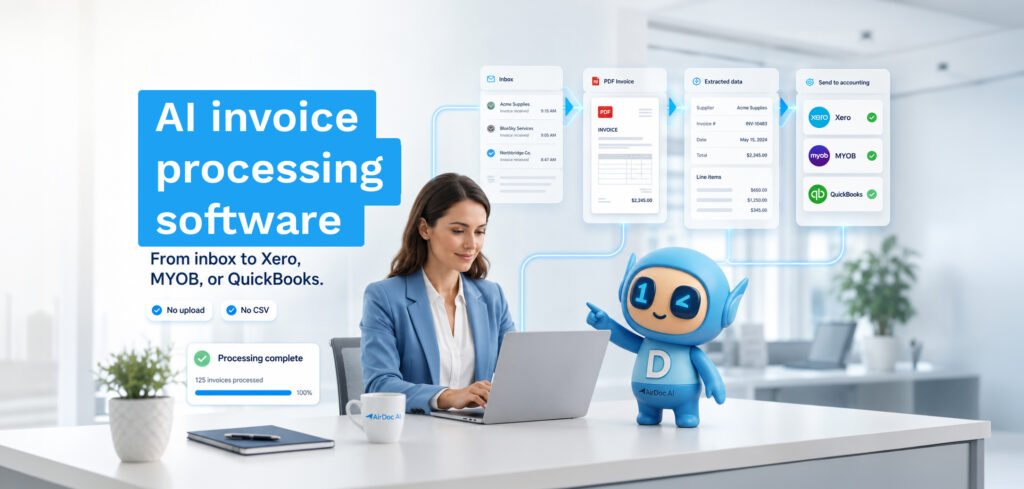
AI document processing is software that reads documents, extracts structured data from them, and routes that data into the systems that need it, without a person manually rekeying anything. It handles invoices, receipts, contracts, forms, and any other document type where the same fields appear repeatedly across different suppliers, layouts, and formats.
This guide covers how it works, where it sits relative to traditional OCR, what return on investment looks like in practice, and how it applies specifically to invoice and accounts payable workflows for businesses on Xero, QuickBooks, and MYOB.
What AI document processing actually does
Traditional OCR (optical character recognition) converts a scanned document into machine-readable text. That is useful, but it is not the same as understanding a document. OCR tells you what characters are on the page. AI document processing tells you what those characters mean.
An invoice has a supplier name, an ABN, an invoice number, a date, line items with quantities and unit prices, a subtotal, a GST amount, and a total. OCR can read all of those characters. AI document processing identifies which field is which, validates that the GST calculation is correct, matches the supplier against your existing records, and creates a structured bill in your accounting platform, regardless of whether the invoice is a PDF, a photo, a scanned image, or an embedded attachment in an email.
The practical difference: OCR produces text you still have to interpret and rekey. AI document processing produces accounting entries you review and approve.
How AI document processing works
The process has four stages regardless of which tool or vendor you use.
1. Document capture
The document enters the system. This happens via email attachment, inbox monitoring, mobile photo, upload, or API. The method matters more than it sounds: tools that require manual submission still leave a manual step in the workflow. Tools that monitor an inbox or connect to a shared folder capture documents automatically, the moment they arrive.
2. Classification and extraction
The AI identifies the document type (invoice, receipt, purchase order, remittance advice) and extracts the relevant fields. For invoices, this means supplier name, ABN, invoice number, issue date, due date, line items, quantities, unit prices, GST per line, and totals. Modern AI document processing does this across layouts it has never seen before, without needing rules configured per supplier.
3. Validation
The extracted data is checked for consistency. GST calculations are reconciled against line items and totals. Supplier ABNs are verified against the Australian Business Register. Dates are validated. Amounts are checked against expected ranges or prior invoices from the same supplier. Anything outside confidence thresholds is flagged as an exception for manual review, rather than posted as a guess.
4. Delivery
The structured data is pushed into the destination system. For accounting workflows, this means a draft bill in Xero, QuickBooks, or MYOB, with the original document attached and an audit trail linking the source email or upload, the extracted data, and the accounting entry. The person reviewing the bill sees the original document and the extracted fields side by side, approves or adjusts, and moves on.
AI document processing vs OCR: what the difference means in practice
| OCR | AI document processing | |
|---|---|---|
| Output | Raw text | Structured, labelled fields |
| Understands field meaning | No | Yes |
| Handles new layouts | Requires re-training or rules | Yes, without configuration |
| Validates data | No | Yes (GST, ABN, totals) |
| Posts to accounting platform | No (requires additional step) | Yes (native integration) |
| Handles handwriting and photos | Limited | Yes |
| Manual step remaining | Interpretation and rekey | Review and approval only |
Where AI document processing applies
Invoice and accounts payable automation
The highest-volume, most repetitive document processing workflow in most small and medium businesses. Supplier invoices arrive by email, WhatsApp, and post. Each one needs the same fields extracted and entered into the accounting platform. At 3 minutes per invoice and 40 invoices a week, that is 2 hours every week per client for a bookkeeper, 104 hours a year, and it scales linearly with invoice volume.
AI document processing removes the extraction and entry step entirely. The bookkeeper reviews exceptions and approves clean entries. The hours that were going to invoice entry go to actual accounting work. See how Australian bookkeepers are applying this.
Expense management
Receipts from tradies, field staff, and small business owners arrive as photos, WhatsApp messages, and crumpled dockets. AI document processing reads the merchant name, amount, GST, and date from a phone photo and creates an expense entry in the accounting platform. No manual transcription, no end-of-month receipt pile.
Purchase order matching
For businesses with formal procurement processes, AI document processing can match incoming invoices against issued purchase orders, flag discrepancies in quantity or price, and route exceptions for approval before any payment is posted.
Contract and form data extraction
Beyond invoices, AI document processing applies to contracts (extracting key dates, parties, and obligations), onboarding forms, insurance documents, and any structured document type where the same fields recur across many instances. These are awareness-stage applications for AirDoc AI, which is focused on invoice workflows today.
ROI: what the numbers look like
The return on investment from AI document processing in invoice workflows is calculable because manual processing has a known cost.
At a bookkeeper rate of A$35 per hour and 3 minutes per invoice, each invoice costs A$1.75 in labour. A client sending 40 invoices per week costs A$70 per week, A$3,640 per year, in manual entry alone. A practice with 10 clients at that volume spends A$36,400 per year on invoice data entry, not accounting.
AI document processing typically costs a fraction of that per invoice. AirDoc AI’s Growth plan (A$199 per month, 2,000 processed emails) works out to A$0.075 per invoice, against A$1.75 in manual labour. The payback period on a bookkeeping practice is measured in weeks, not quarters.
Mutual Trust, Australia’s largest multi-family office, saves 30+ hours per month from a single inbox using AirDoc AI. The quantifiable return is the labour cost of those hours. The less visible return is the ceiling it removes: a practice doing manual invoice processing can only take on as many clients as the hours allow. A practice running AI document processing does not have that ceiling.
AI document processing for Xero, QuickBooks, and MYOB users
The practical value of AI document processing depends on how well it integrates with the accounting platform the team is already using. A tool that extracts data but requires a CSV export and manual import has replaced one manual step with a slightly less manual step. The tools that remove the step entirely are the ones with native, direct integrations.
For the Australian and New Zealand market, the relevant platforms are Xero, QuickBooks Online, and MYOB. Xero users can connect email inboxes directly to Xero via AirDoc AI. The same applies to MYOB and QuickBooks. The extracted invoice data creates a draft bill natively in whichever platform the business uses, with the original document attached.
How to evaluate AI document processing software
When assessing options, the questions that separate tools in practice from tools that look good in demos are these.
Does it monitor the inbox, or does it require submission? Tools that require you to forward invoices to a dedicated email address, upload to a portal, or use a mobile app to capture each document still leave a human step. Tools that connect to the inbox your invoices already arrive in remove that step entirely.
Does it extract line items, or just header data? Header-level extraction (supplier, total, date) is basic OCR. Line-item extraction (individual rows, quantities, unit prices, GST per line) is what accounting platforms need to create usable draft bills. Ask specifically whether line-item extraction is included, not just mentioned.
Does it post natively to your accounting platform? Export files, CSV downloads, and sync buttons all mean additional handling. Native OAuth integration that posts directly to Xero, QuickBooks, or MYOB with no intermediate step is the standard to hold other tools to.
What does the exception workflow look like? No AI document processing tool is 100% accurate on every document. What matters is what happens when it is not sure: does it post a guess, or does it flag the exception for human review? Flag and review is the right behaviour. Guessing and posting is not.
What is the audit trail? For accounting compliance, you need to be able to trace a bill in Xero back to the original invoice document and the original email it arrived in. The tool should keep all three linked: source email, extracted data, accounting entry.
FAQ
What is the difference between AI document processing and intelligent document processing (IDP)?
They describe the same category. “Intelligent document processing” is the enterprise vendor term. “AI document processing” is the more common plain-English description. Both refer to software that uses machine learning to extract structured data from documents, rather than simple pattern matching or manual rules.
Can AI document processing handle handwritten documents?
Modern AI document processing handles handwritten text significantly better than traditional OCR, but accuracy depends on legibility. Printed and digital invoices process at near-100% accuracy. Handwritten dockets and receipts process at lower but still useful accuracy, with exceptions flagged for review when confidence is below threshold.
How long does it take to set up AI document processing?
For invoice workflows, setup is measured in minutes, not weeks. AirDoc AI takes under 10 minutes to connect a Gmail or Microsoft 365 inbox to a Xero, QuickBooks, or MYOB file. Enterprise IDP platforms with custom document types and approval workflows take longer to configure.
Does AI document processing replace bookkeepers?
No. It removes the data entry part of bookkeeping, which is the part that does not require a bookkeeper’s judgement. The work that remains, reviewing exceptions, applying accounting knowledge, advising clients, and managing the numbers, still requires a human. The net effect for most bookkeeping practices is more capacity with the same headcount, not fewer people.
What document types does AirDoc AI process?
AirDoc AI focuses on supplier invoices and expense receipts, arriving via Gmail, Microsoft 365, and WhatsApp. It does not process contracts, legal documents, or healthcare records. The narrow focus means the extraction accuracy on invoice data is higher than general-purpose IDP tools that try to handle every document type.